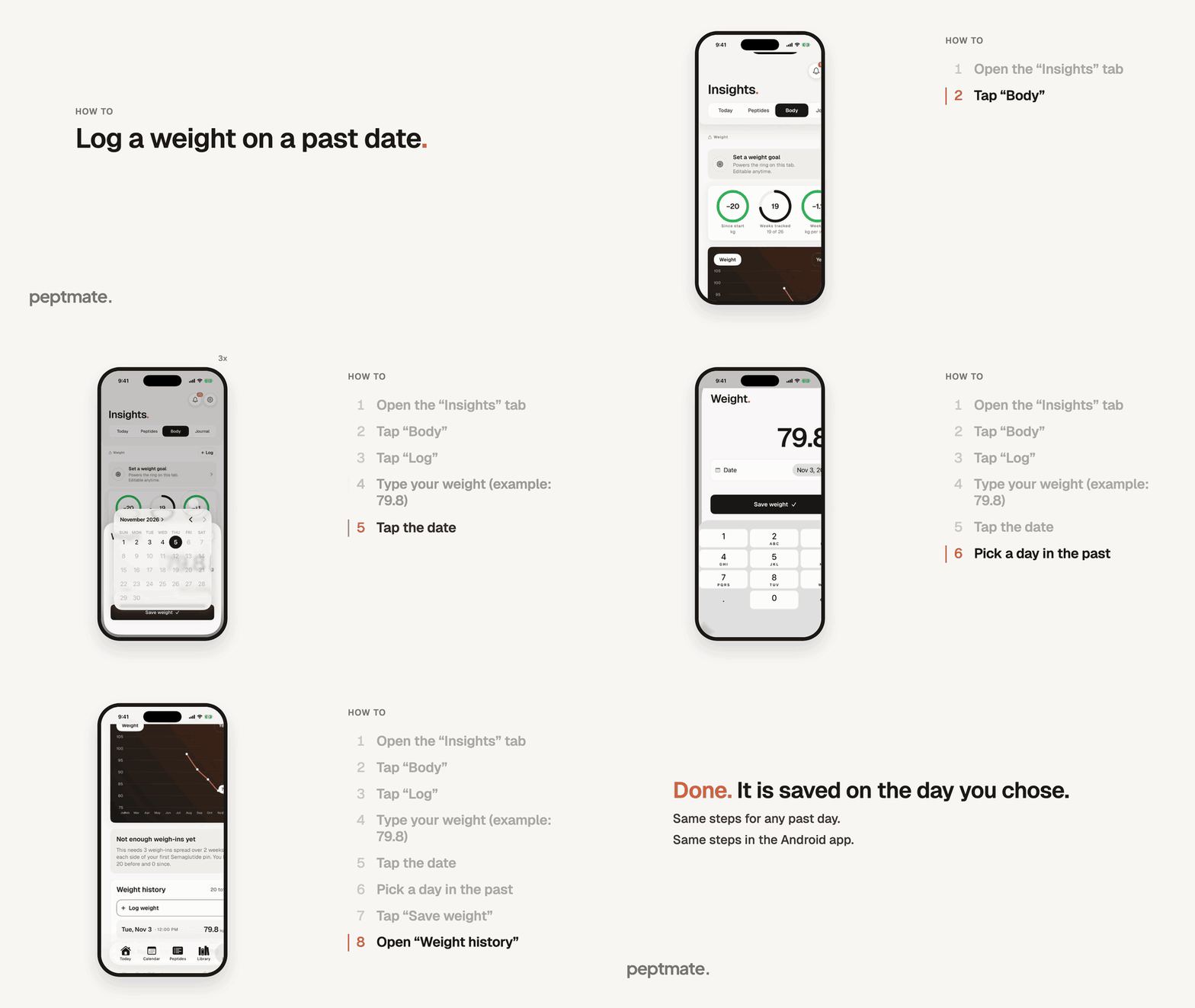
Missed a weigh-in? Add your weight to an earlier day, and see it in your weight history.
Same steps in the Android app. There the date shows as a button: tap it and pick the day.
The weight in the recording is an example only.
Open the Insights tab and tap “Body”.
Tap “Log”. A small “Weight” sheet opens with the number pad ready.
Type your weight. The sheet can start with your last reading. Replace it with the new number.
Tap the date and pick the day you weighed yourself. You can choose any day up to today, but not a day that has not happened yet.
Tap “Save weight”. Your reading is saved on the day you chose.
To check it, scroll down on Body and open “Weight history”. Your reading is listed on its day.
If that day already has a weigh-in, the app asks “Replace this day’s weigh-in?” before it saves. Tap “Replace” to swap in the new number, or “Cancel” to keep the old one.