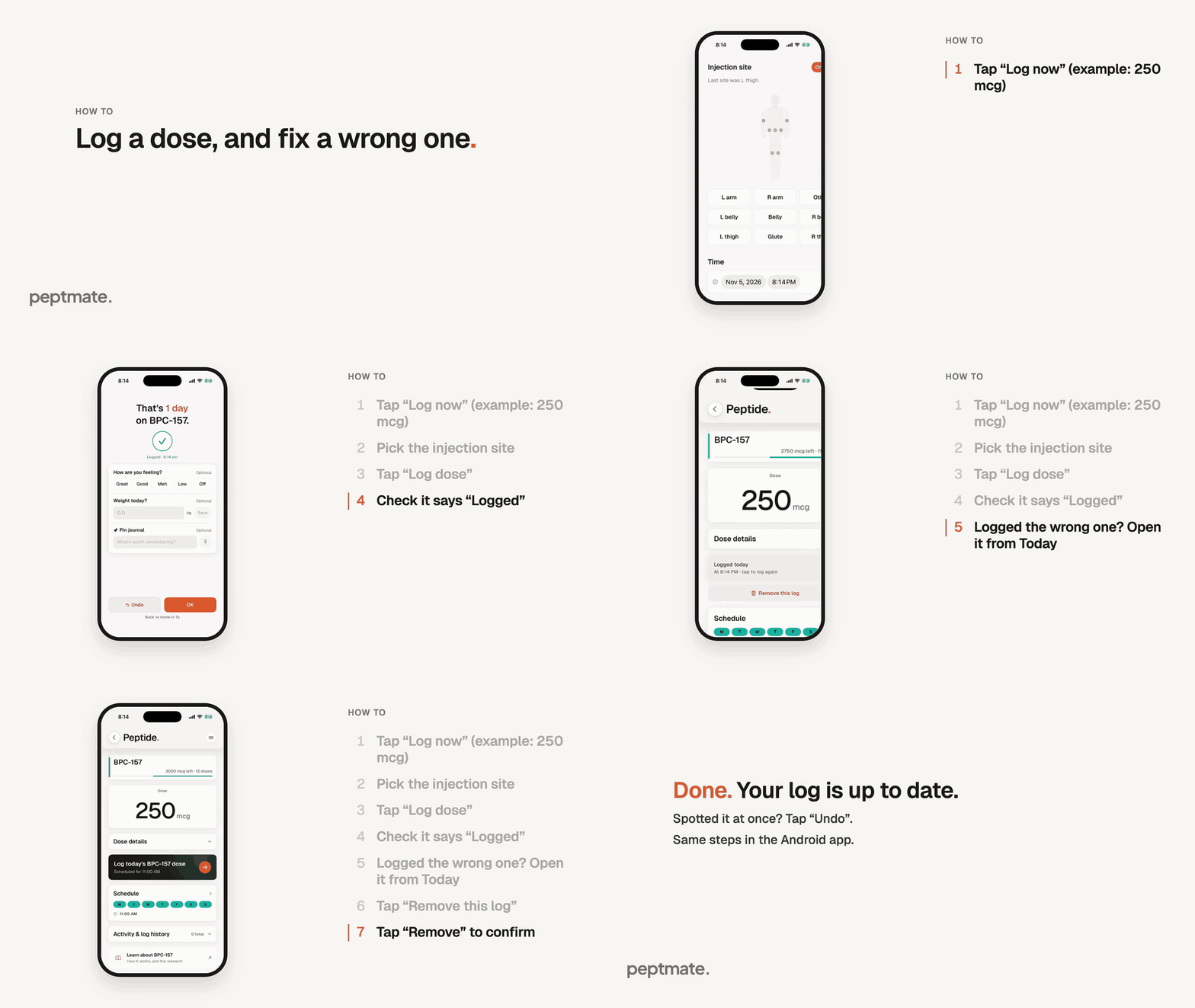
Log a dose from Today in a few taps, and remove a log you made by mistake.
Same steps in the Android app.
The numbers in the recording are examples only. Enter what’s on your own vial and what your prescriber gave you.
On the Today tab, tap “Log now” on your next dose card (or open the dose from the Today list and tap “Log today’s … dose”).
Pick the injection site. You can also check the time and the amount on this page before you go on.
Tap “Log dose”. You see “Logged”, and you are taken back to Today after a few seconds.
Made a mistake and noticed at once? Tap “Undo” on the “Logged” page.
Spotted it later? On Today, tap the dose you logged to open its page, then tap “Remove this log”.
Tap “Remove” to confirm. The dose is due again, and the app tells you if the amount goes back into the bottle’s count. Log it again with the right details.