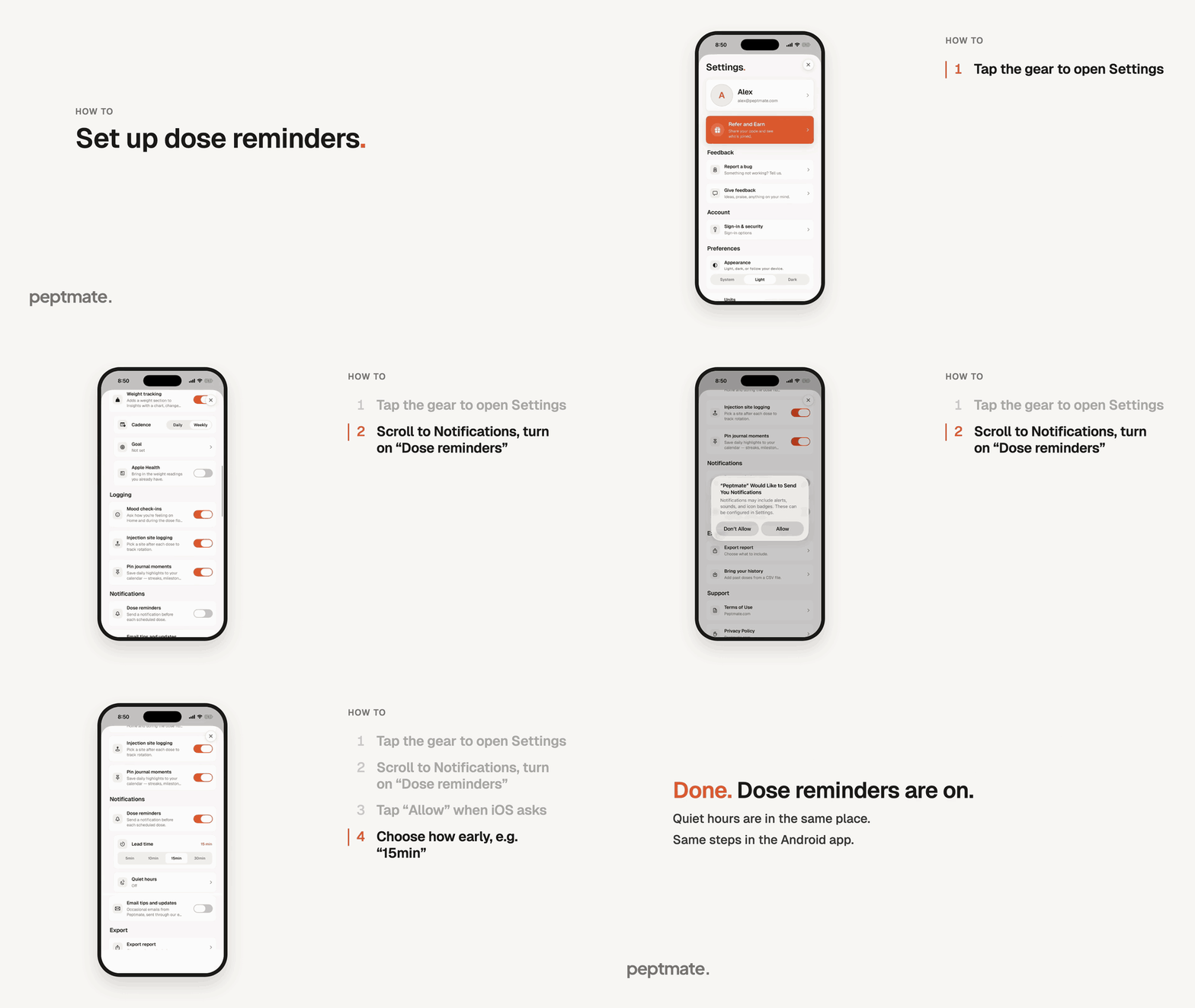
Turn on dose reminders in Settings and choose how early Peptmate nudges you before each dose.
Same steps in the Android app. Reminder times for a single peptide are set when you add or edit that peptide: on iPhone that happens in the web app, on Android in the app.
The recording shows an example setup. Choose the lead time that suits you.
On the Today tab, tap the gear in the top right to open Settings.
Scroll down to Notifications and turn on “Dose reminders”.
When iOS asks to send you notifications, tap “Allow”. If you tapped “Don’t Allow” before, Peptmate shows “Notifications are off in iOS”: tap “Open iOS Settings” and turn notifications on for Peptmate.
Under “Lead time”, pick how early you want the reminder: 5, 10, 15 or 30 minutes before each scheduled dose.
Optional: open “Quiet hours” to set a window at night when reminders are held back.